JavaScript Async Explained: The Event Loop, Promises and Await
One thread, no waiting — how JavaScript does several things at once without doing several things at once.

6 min read

One thread, no waiting — how JavaScript does several things at once without doing several things at once.
JavaScript has exactly one thread for running your code. It also powers interfaces handling dozens of simultaneous network calls, animations and user events without freezing. Both statements are true, and reconciling them is the single most useful thing a JavaScript developer can understand.
Most async confusion comes from a missing mental model rather than missing syntax. People learn await as a spell that makes waiting work, then get baffled the first time a loop of awaits takes ten seconds instead of one.
This article builds the model from the bottom: the event loop, then promises, then async/await as the readable syntax on top. After that, the odd behaviours stop being odd.
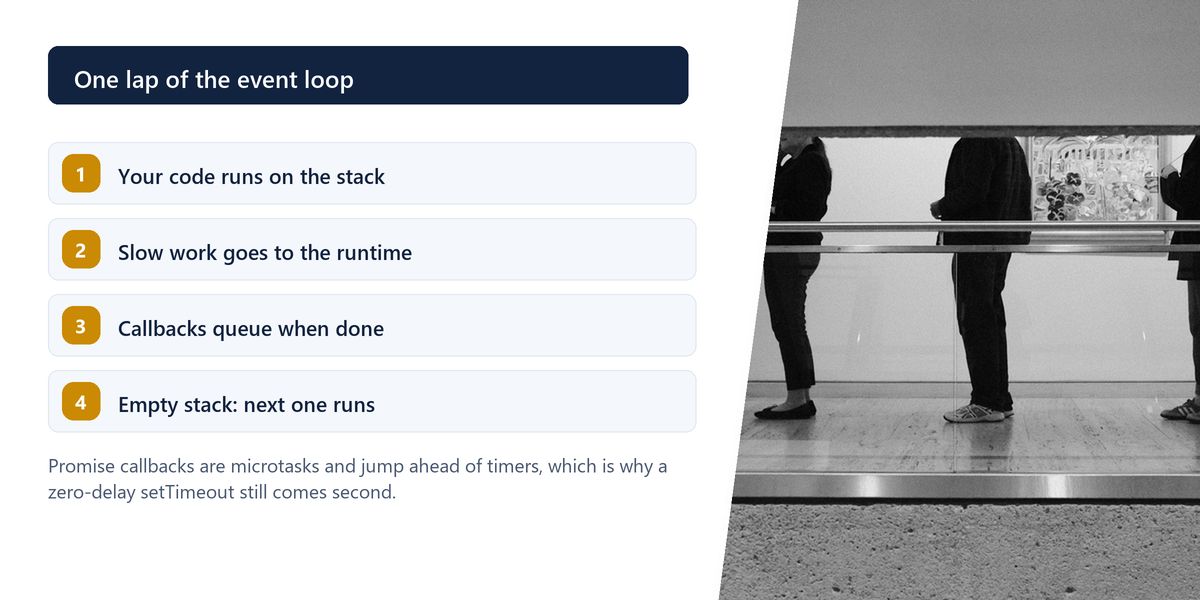
Your JavaScript runs on a single call stack: one function at a time, top to bottom. What makes concurrency possible is that the slow things — network requests, timers, file reads, database queries — are not handled by that thread at all. They are handed to the runtime, which does them elsewhere.
When such an operation completes, its callback is placed in a queue. The event loop's job is simple: whenever the call stack is empty, take the next item from the queue and run it.
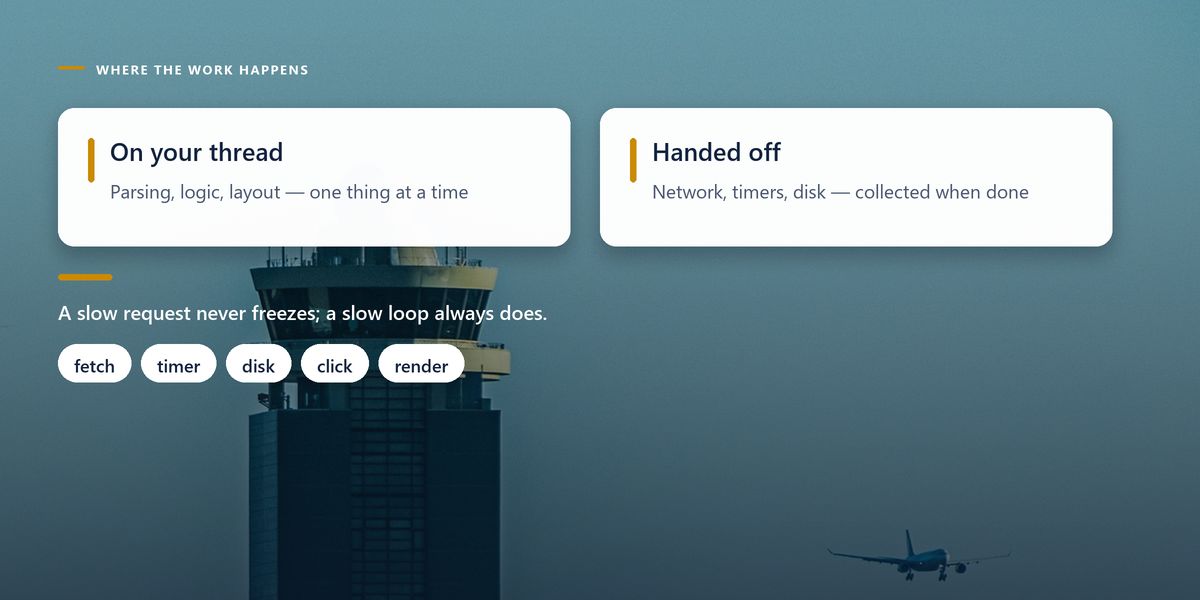
This is why a slow network request does not freeze the page, but a slow calculation absolutely does. The request is handled outside your thread; the calculation is on it, and nothing else can happen until it finishes.
A tight synchronous loop over a large array will lock the entire interface — no clicks, no scrolling, no rendering — until it completes. Async syntax does not help here, because the work is genuinely on your thread. Break it into chunks, or move it to a Web Worker.
The original way to handle a completed operation was to pass a function to be called later. It works, and it composes terribly. Three dependent operations become three nested callbacks, each with its own error handling, drifting rightwards across the screen.
A promise reframes the same idea as a value. It is an object representing a result that is not available yet, and which will end up either fulfilled with a value or rejected with an error. Because it is a value, it can be returned, passed around, stored in an array, and chained — which is precisely what callbacks could not do.
The async/await syntax is a readable surface over promises. Marking a function async guarantees it returns a promise. Writing await before a promise pauses that function until the promise settles, then continues with the value.
The crucial word is that function. Awaiting does not pause the program, block the thread or stop other work. It suspends one function and hands control back to the event loop, which gets on with everything else. That is the entire trick.
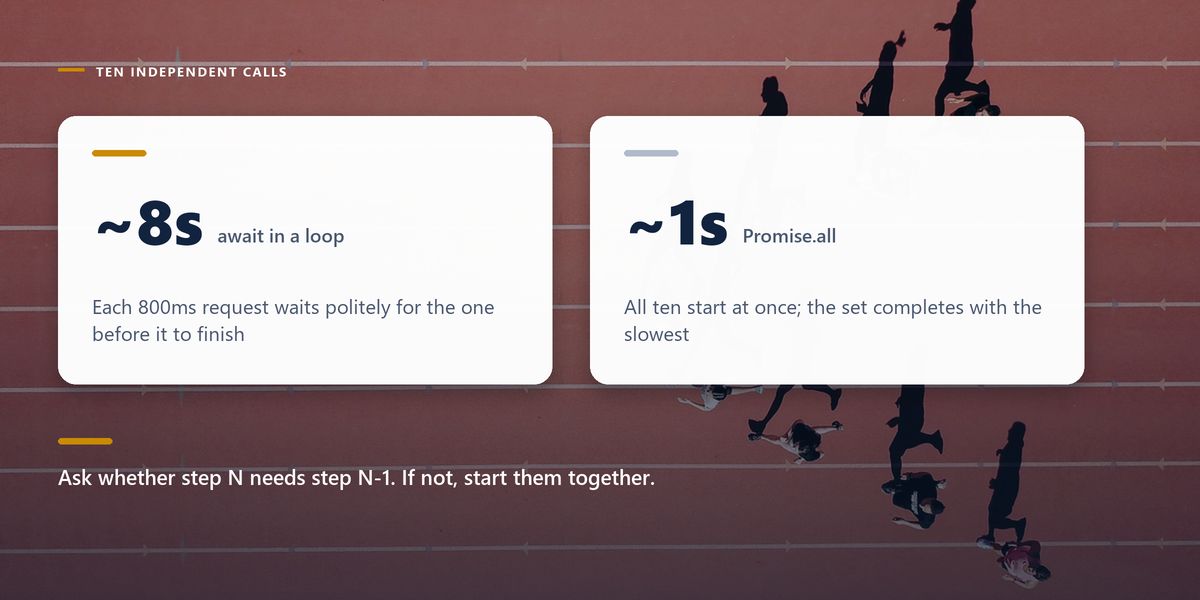
You have ten independent API calls. You write a loop, await each one, and the whole thing takes ten times as long as one call. Nothing is broken — you asked for them one at a time, and that is exactly what you got.
When operations do not depend on each other, start them all and wait for the set. Promise.all takes an array of promises and resolves when every one has finished, in roughly the time of the slowest rather than the sum of all.
| Tool | When to use it | Behaviour on failure |
|---|---|---|
| await in sequence | each step needs the previous result | stops at the first error |
| Promise.all | independent work, all must succeed | rejects as soon as any one fails |
| Promise.allSettled | independent work, partial success is fine | always resolves; inspect each result |
| Promise.race | first answer wins, e.g. a timeout | settles with whichever finishes first |
| Promise.any | any one success is enough | rejects only if all of them fail |
Before writing an await inside a loop, ask whether iteration N actually needs the result of iteration N minus one. If not, collect the promises and await them together. This single question is the most common performance win in async JavaScript.
There are two queues, not one. Promise callbacks go to the microtask queue; timers and I/O callbacks go to the task queue. After each task, the event loop drains the entire microtask queue before taking the next task.
That is why a resolved promise's then runs before a setTimeout with a delay of zero, even though the timeout was scheduled first. It also means a runaway chain of microtasks can starve timers and rendering entirely.
Inside an async function, a rejected promise you await throws, so ordinary try/catch works as expected. The danger is at the edges: call an async function without awaiting it or attaching a handler, and a rejection becomes an unhandled promise rejection — often logged somewhere nobody is looking.
Two habits prevent most of it. Never call an async function purely for its side effects without handling failure, and be careful with forEach, which ignores returned promises entirely and will happily let you write a loop that finishes before any of its work does.
A team shipped an internal dashboard that loaded six independent widgets. It was correct, well tested, and painfully slow — about nine seconds to become usable, on a fast connection.
The loading code awaited each widget's data in turn inside a single function. Every request waited for the one before it, even though none depended on any other. The network tab showed six requests in a neat staircase.
Replacing the sequential awaits with a single Promise.all brought first paint down to roughly the slowest request, under two seconds. No caching, no new infrastructure, no backend changes — one structural change to how the calls were started.
Await does not mean wait. It means: suspend this function, let everything else run, and resume me when the answer arrives.
— The sentence worth memorising
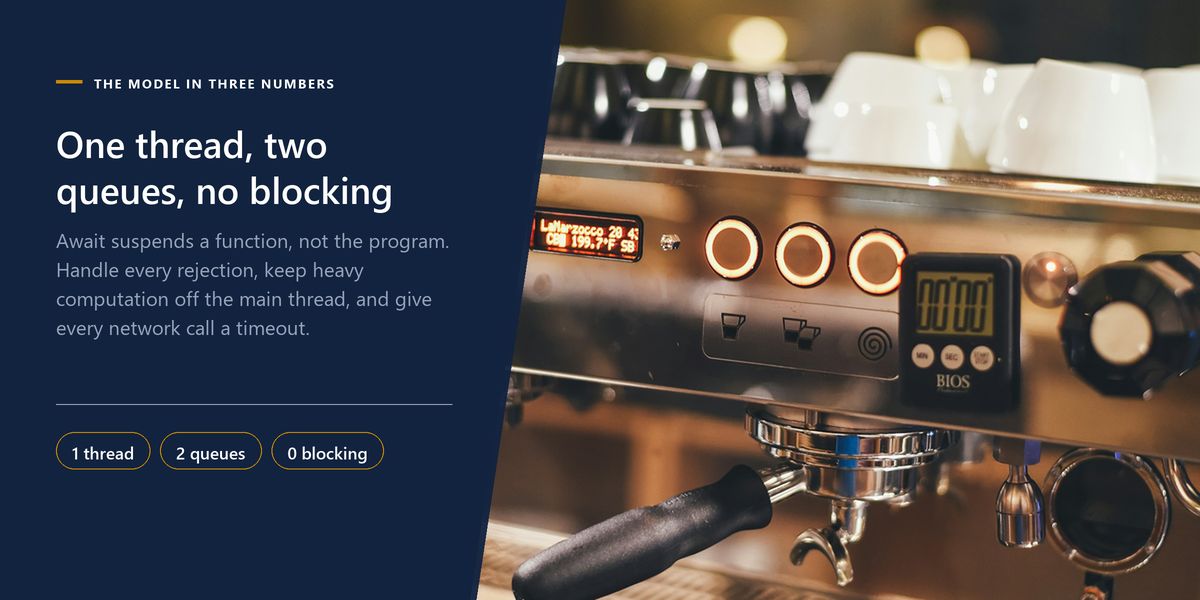
One call stack runs your code; the runtime handles slow operations elsewhere and queues their callbacks. Promises represent future values; async/await makes them readable. Sequential awaits are sequential — parallelise independent work with Promise.all. Microtasks run before the next timer. Unhandled rejections fail silently.
Once the event loop is in your head, async JavaScript stops being a source of superstition. You can look at a slow page and reason about whether the problem is sequencing, a blocked thread, or a genuinely slow server — and each has a different fix.
If your slowness is showing up as poor user-facing metrics, the Core Web Vitals field guide covers how those delays get measured and what to do about them.
Tap a star to share what you thought.
No ratings yet
Your JavaScript code runs on a single thread, yes. Slow operations such as network requests, timers and file access are handled by the runtime outside that thread, which is how a single-threaded language handles many concurrent operations.
It suspends the async function it appears in until the awaited promise settles, then resumes with the value. It does not block the thread or pause the program — control returns to the event loop, which continues running everything else.
Because each iteration waits for the previous one to finish. If the operations are independent, collect them into an array of promises and await Promise.all instead, which starts them all and finishes in roughly the time of the slowest.
Sign in to join the conversation.
Loading responses…
Have a story, idea, or something valuable to share? Join The Blog Story for free, publish your content, reach more readers, and earn a share of advertising revenue from eligible content.
Create quality content. Grow your audience. Grow your earning potential.
Promise.all rejects as soon as any promise fails, discarding the rest. Promise.allSettled always resolves and gives you the outcome of every promise, which is what you want when partial success is acceptable.
Promise callbacks go on the microtask queue, which the event loop drains completely after each task. Timer callbacks go on the task queue. So a resolved promise's handler runs before a zero-delay timeout scheduled earlier.
Wrap awaited calls in try/catch inside the async function, and make sure every async function called from outside has its rejection handled. An async function invoked without await or a catch produces an unhandled rejection that often fails silently.
forEach ignores the promise your callback returns, so it does not wait for anything. Use a for-of loop when the work must be sequential, or map to an array of promises and await Promise.all when it can run in parallel.
No. Async syntax helps with waiting, not with work. A heavy computation runs on the same single thread and will block the interface regardless. Break it into chunks or move it to a Web Worker.