SQL Indexes and Query Plans: Why Your Query Got Slow
The database is not guessing. Learn to read what it tells you.

6 min read

The database is not guessing. Learn to read what it tells you.
The classic version of this story: everything is fast in development, the feature ships, and three months later a page takes nine seconds to load. Nothing in the code changed. The table simply grew from 40,000 rows to four million.
Databases are unusually honest about why this happens. Ask, and they will tell you exactly how they intend to execute a query and what it will cost. Most developers never ask, which is why indexing feels like folklore rather than engineering.
This is a practical introduction to what an index actually is, how to read a query plan, and the handful of rules that cover most real problems.
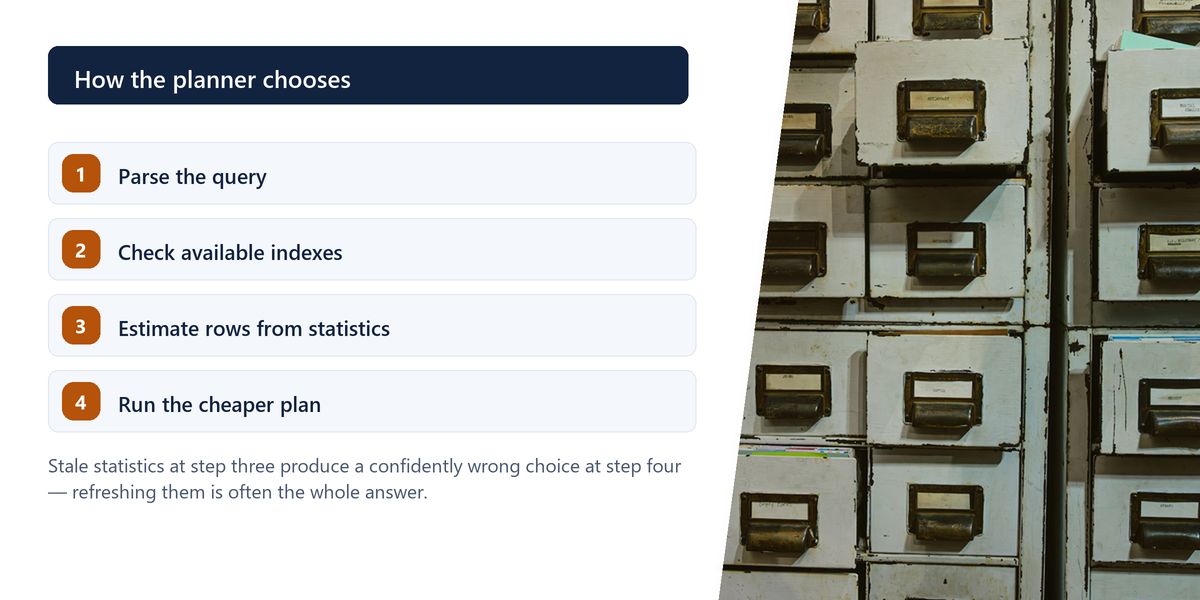
An index is a separate, sorted data structure that lets the database find rows without examining every one. The book analogy is genuinely accurate: finding a topic in a 900-page book by reading every page is a sequential scan; using the index at the back is an index scan.

Without one, a query filtering on a column must inspect every row in the table. That is fine at 10,000 rows and catastrophic at ten million — and the growth in between is smooth enough that nobody notices the day it becomes a problem.
Indexes are not free. Every insert, update and delete must also update every index on that table, and each index occupies disk and memory. This is the entire trade-off: faster reads, slower writes, more space.
Every serious database can explain its execution plan. In PostgreSQL that is EXPLAIN ANALYZE; MySQL and SQL Server have equivalents. It shows what the database did, how many rows it expected, how many it actually found, and how long each step took.
You do not need to understand every node. Four things account for most problems.
The reliable candidates, in order of value.
The critical qualifier is selectivity: how much of the table a condition eliminates. An index on a boolean column that is true for half the rows is nearly worthless, because reading half the table via an index is slower than just reading the table. An index on an email address, which identifies one row, is extremely valuable.
An index on several columns is not the same as several single-column indexes, and the order of the columns matters enormously.
A composite index can be used for queries that filter on a leading prefix of its columns. An index on (customer_id, created_at) helps a query filtering on customer_id alone, and helps a query filtering on both. It does almost nothing for a query filtering only on created_at.
Order composite index columns as: equality conditions first, then the range condition, then the sort column. A query filtering customer_id = ? and created_at > ? then ordering by created_at wants an index on (customer_id, created_at) in exactly that order.
| Query pattern | Index that helps | Index that does not |
|---|---|---|
| WHERE email = ? | (email) | (created_at, email) |
| WHERE customer_id = ? ORDER BY date | (customer_id, date) | (date, customer_id) |
| WHERE lower(email) = ? | an expression index on lower(email) | a plain index on (email) |
| WHERE status = 'active' | a partial index on active rows | a plain index on a low-cardinality column |
| JOIN on order_id | (order_id) on both tables | an index on only one side |
This is the most common frustration: the index exists, the plan shows a sequential scan anyway. There are four usual explanations.
Writing WHERE lower(email) = ? or WHERE date(created_at) = ? means the database cannot use an index on the raw column, because it is not searching for stored values — it is searching for the results of a computation. Either restructure the query or create an index on that expression.
If a condition matches a large fraction of the table, reading it sequentially genuinely is faster than jumping around through an index. The planner is usually right about this, and it is being helpful rather than obtuse.
The planner decides using statistics about data distribution. After a bulk load or a large deletion those can be badly out of date, leading to confidently wrong choices. Refreshing statistics is a one-line fix and is regularly the entire answer.
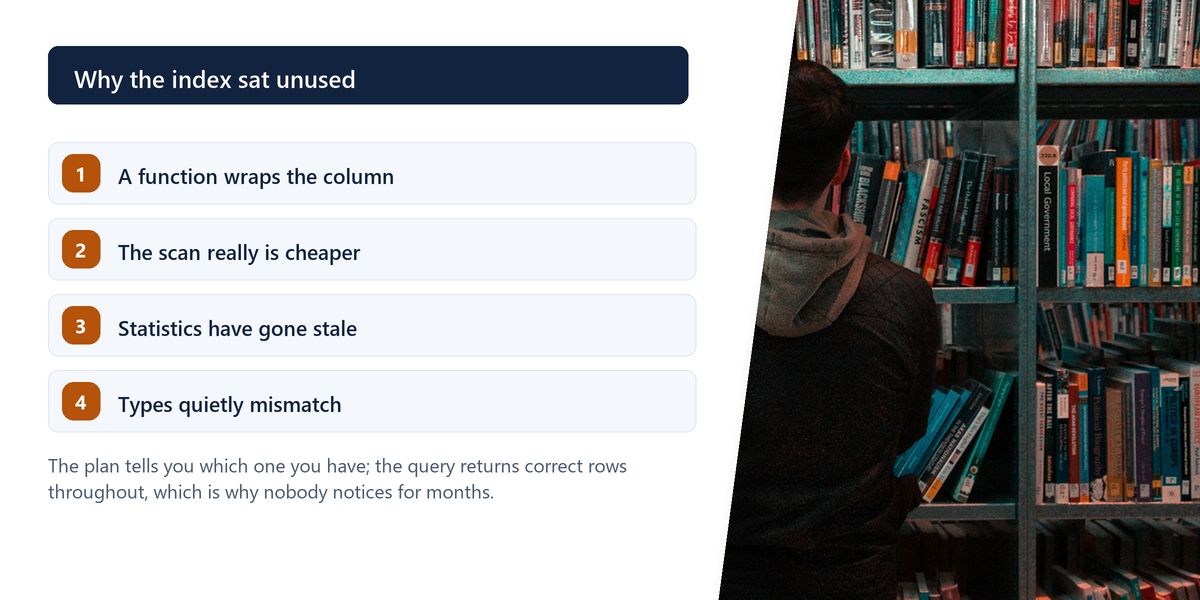
Comparing an integer column to a string, or columns with different collations, can silently prevent index use. The query returns correct results and quietly performs terribly.
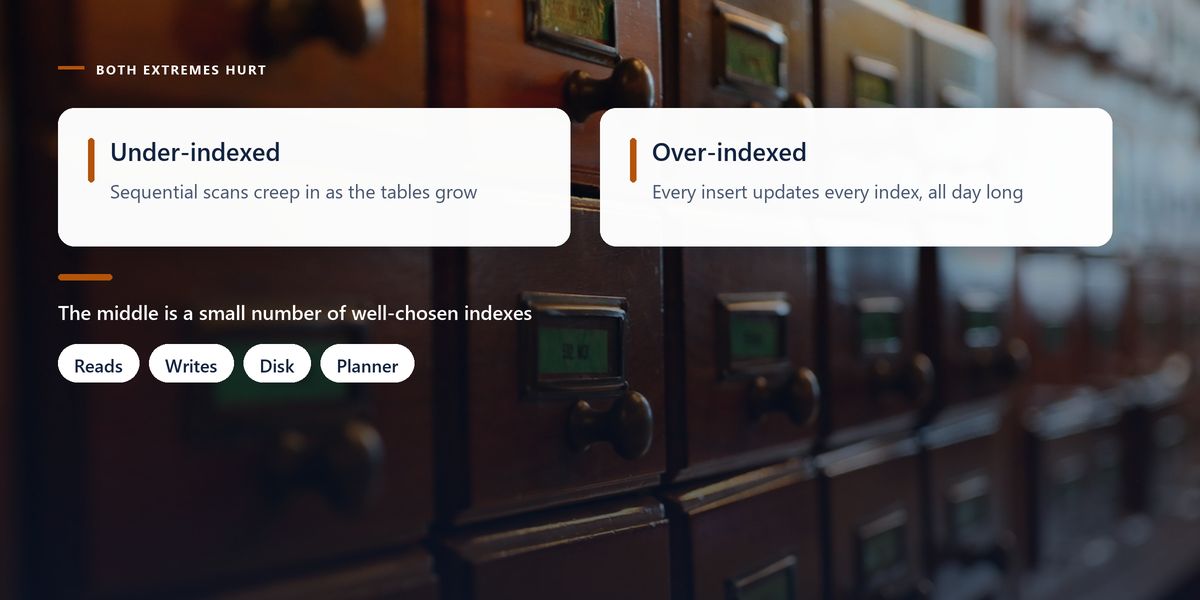
A reporting database had accumulated 23 indexes on its main orders table over four years. Each had been added to fix a specific slow query, and none had ever been removed.
An audit of index usage statistics showed nine had not been used in six months. They covered queries from features that no longer existed. Meanwhile, bulk imports had slowed to a crawl, because every insert was updating 23 structures.
Removing the unused indexes cut import time by more than half and reduced the database size by 15%. Read performance was unchanged, because nothing had been reading through those indexes anyway.
Adding an index to a large table can lock it during creation and block writes. Production databases support building indexes concurrently, which takes longer but does not block. Confirm the correct approach for your database before running a migration against a busy table.
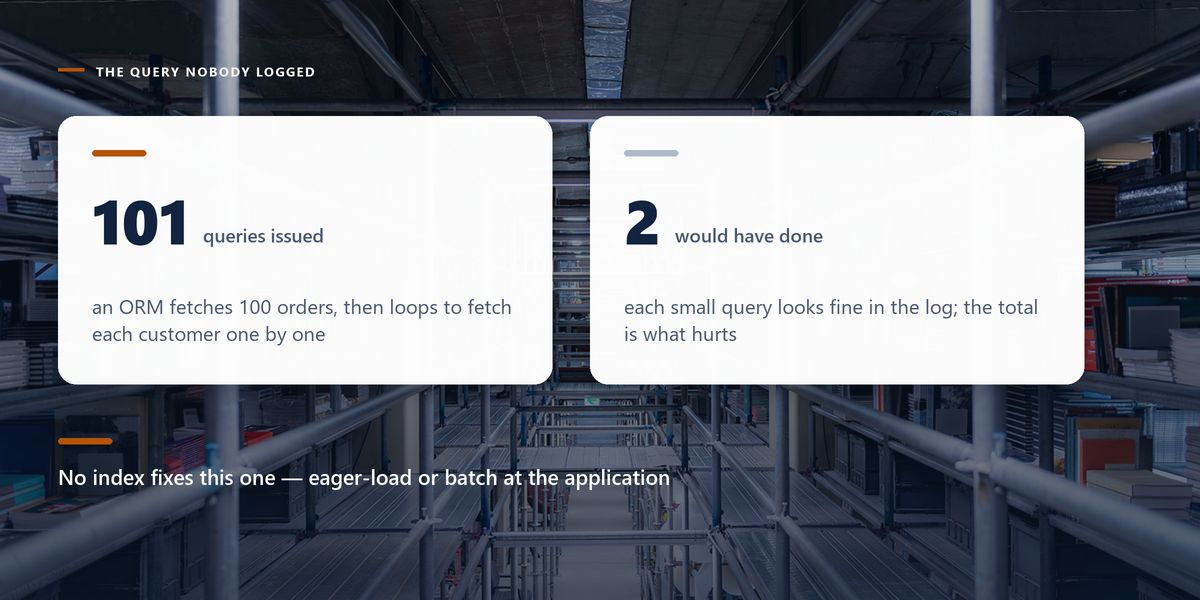
No amount of indexing fixes the most common application-level database problem. An ORM fetches 100 orders in one query, then loops over them fetching each customer individually — 101 queries where two would do.
Each individual query is fast, so nothing looks wrong in a slow-query log. The total is dreadful. The fix is at the application layer: eager-load the relationship, or fetch the related rows in a single batched query. Look for this before reaching for another index.
Indexes trade write cost for read speed. Read the query plan before acting. Index foreign keys, selective filter columns and sort columns. Order composite indexes as equality, then range, then sort. Watch for functions wrapping columns, stale statistics and type mismatches. Audit and remove unused indexes. And check for N+1 query patterns first.
Query performance stops being mysterious the moment you start reading plans. The database is describing its reasoning in detail; the skill is simply learning to read it, and that is an afternoon's work rather than a career's.
Next time a page slows down, run the plan before changing anything. The answer is usually right there, and it is frequently not what you were about to fix.
Tap a star to share what you thought.
No ratings yet
It maintains a separate sorted structure that lets the database locate matching rows without examining every row in the table. The cost is that every insert, update and delete must also maintain the index, and it consumes disk and memory.
Read the query plan for your slow queries. Reliable candidates are foreign keys, columns frequently used in WHERE clauses that eliminate most rows, join conditions on both sides, and sort columns paired with a limit.
Common causes are wrapping the column in a function such as lower() or date(), a condition matching too much of the table for an index to help, stale planner statistics, or a type mismatch between the column and the comparison value.
Enormously. An index can serve queries that filter on a leading prefix of its columns. An index on (customer_id, created_at) helps queries filtering on customer_id, but barely helps one filtering only on created_at.
Yes. Every additional index slows writes, consumes space and gives the planner more options to evaluate. Auditing index usage statistics and removing indexes that have not been used in months often speeds up writes substantially with no read cost.
It reads every row in the table. On a small table or when a condition matches a large fraction of rows, it is genuinely the fastest option and the planner chooses it deliberately. It is a problem mainly on large tables with selective conditions.
Fetching a list in one query and then issuing a separate query for each item's related data. Each query is fast, so nothing looks wrong individually, but the total is very slow. The fix is eager loading or batching in the application, not another index.
Creating an index can lock the table and block writes for its duration. Most production databases support building indexes concurrently, which is slower but non-blocking. Check the right approach for your database before running the migration.
Sign in to join the conversation.
Loading responses…
Have a story, idea, or something valuable to share? Join The Blog Story for free, publish your content, reach more readers, and earn a share of advertising revenue from eligible content.
Create quality content. Grow your audience. Grow your earning potential.